- New

Shipping

Secure payment

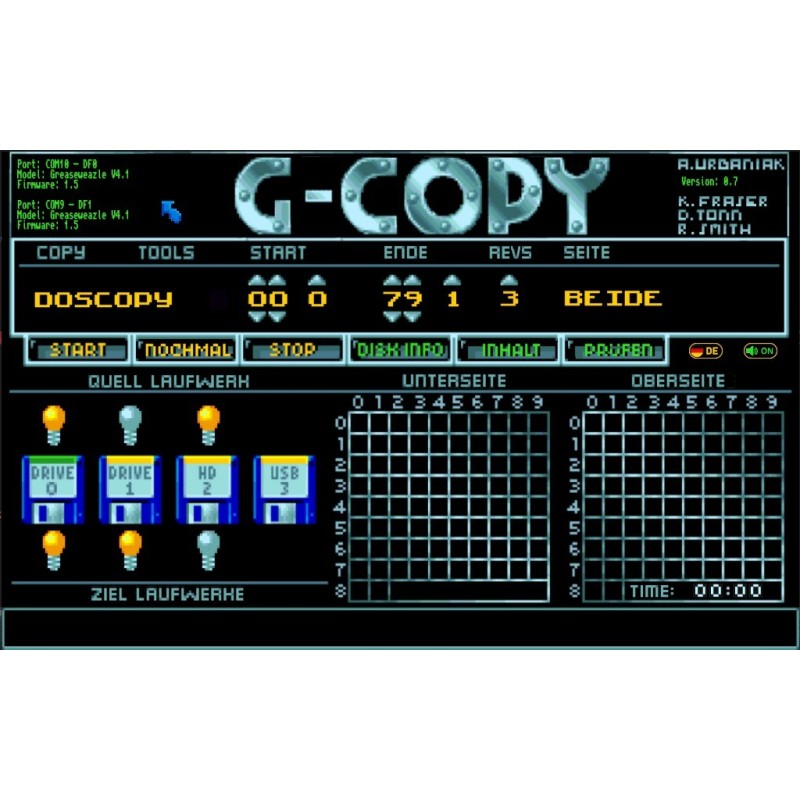
G-Copy 0.7 for Windows PC, available as a free download. Back up Amiga floppy disks to ADF files and write disk images using compatible hardware such as Greaseweazle or ADF-Drive.
Software by Arne Urbaniak. ZIP includes the program, English and German manuals and a font. Controller and floppy drive are not included.
Free download after creating an account and completing a €0 order.
G-Copy 0.7: Amiga floppy disk copying on a Windows PC
Developed by Arne Urbaniak, G-Copy backs up and recreates Amiga floppy disks from a Windows PC. It transfers data between disks and files stored on the PC, USB drives or SD cards, using an interface inspired by classic Amiga disk copiers.
The seven modes documented in version 0.7
Doscopy: fast copying of AmigaDOS disks to ADF files, or disk images back to floppy disks. It does not correct errors already present on the source.
Doscopy+: similar operation with attempts to recover tracks that contain errors. Complete data recovery is not guaranteed.
Bamcopy: copies tracks used according to the disk bitmap, skipping empty areas to speed up copying.
Nibblecopy: low-level copying using SCP images, including disks unsuitable for a straightforward AmigaDOS image. The author states that writing SCP images to disk is not supported by ADF-Drive.
DMS2Disk: writes a DMS file to a floppy disk.
DMS2ADF: converts a DMS file to an ADF image saved on the PC or storage media.
IPF2Disk: writes an IPF image to a compatible floppy disk.
Multiple drives and destinations
The manual describes using two Greaseweazle controllers to copy between DF0 and DF1, and writing an image to one or both drives. DF0-to-DF0 copying is available in Doscopy, Bamcopy and Nibblecopy modes. Start and end tracks, disk side and the number of revolutions can be adjusted.
Disk inspection and preparation
Disk Info shows the disk name and allocation information. Directory browses files and directories on a disk or ADF image. Checkdisk tests tracks and displays detected errors. Delete, QFormat and Format erase or prepare disks and can destroy their existing contents.
The manual lists detection of 456 bootblock virus signatures in Doscopy, Doscopy+ and Bamcopy modes, with ignore, cancel or bootblock replacement options. This is the specific feature described by the author, not a guarantee of virus-free disks or a Windows antivirus.
Required hardware and limitations
A Windows PC, compatible controller, suitable floppy drive, data cable and power supply are required. Main functions are documented for Greaseweazle and ADF-Drive. Greaseweazle drive selection depends on the wiring: IBM A/B or Shugart 0/1/2. A standard USB floppy drive does not replace this hardware.
DrawBridge detection is supported, but its support remains partial; do not assume all reading and writing functions are available. G-Copy runs on the PC, not directly on the Amiga.
Archive contents
Version offered: G-Copy 0.7. The ZIP is 44,398,215 bytes, approximately 44.4 MB. It contains GCopy.exe, G-Copy-Manual.pdf, G-Copy-Manual-ger.pdf and AmigaTopazUnicodeRus.ttf. Manuals are in English and German. The manual presents German, English and Bavarian language options and standard, winter and Bavarian layouts.
Getting started
Extract the archive to a folder on your PC and read the manual before running GCopy.exe. No additional tools are described as necessary in this manual. The supplied font is optional and provides Amiga-style lettering. For a first write, erase or format test, use a disk whose contents may be lost.
Author
G-Copy was created by Arne Urbaniak. AmigaVintage provides this archive free of charge; it is not an AmigaVintage creation. The author supplies it as-is without warranty. Only copy material you are entitled to reproduce.
No customer reviews for the moment.
Reference: WB 3.0
Brand: Commodore
Free PDF file: Workbench 3.0 Manual.
Reference: ArcGuard
Brand: CopperByte Games
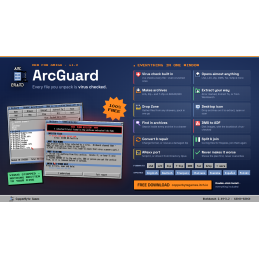
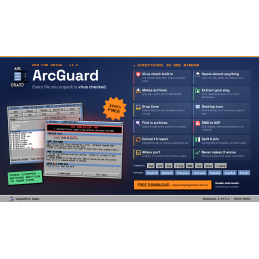
ArcGuard is a free archiving, extraction and virus scanning utility for Commodore Amigas with a 68040 or 68060 processor. Developed by CopperByte Games, this full edition supports archive formats including LHA, LZX, ZIP, DMS, TAR and 7-Zip. 7-Zip support requires a processor with a floating-point unit (FPU).
Reference: A500/200TRM
Brand: Commodore
Free PDF file.
Reference: M-A1200
Brand: Commodore
Free PDF file: Amiga A1200 Manual.
Reference: wfdcopy
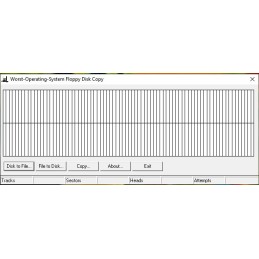
wfdcopy: Worst-Operating-System Floppy Disk Copy.
Reference: ArcGuard
Brand: CopperByte Games
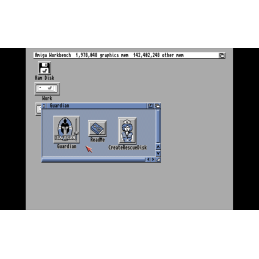
Amiga Guardian 1.0 is a free utility for Commodore Amiga that creates snapshots of files, drawers or entire disks and restores their previous state if a problem occurs. Compatible with AmigaOS 2.04 and later, it runs on Amigas with a 68000 or later processor, as well as emulators.
Reference: M-A500Plus1991
Brand: Commodore
A500 Plus service manual and A501 Plus specifications.
Reference: Simon Owen
Simon Owen’s fdrawcmd low-level floppy driver.
Reference: ArcGuard
Brand: CopperByte Games
ArcGuard is a free archiving, extraction and virus scanning utility for Commodore Amigas with 68000–68030 processors. Developed by CopperByte Games, this lite edition supports archive formats including LHA, LZX, ZIP, DMS and TAR. 7-Zip support is reserved for the 68040–68060 version.
Reference: M-A500-550+
Brand: Commodore
Free PDF file: Amiga A500 / A500 Plus Manual.
Reference: Floppy Image
Utility for transferring disk images and files to floppy disks.
Reference: M1083s
Brand: Commodore
Free PDF file: Commodore 1083S Monitor Manual.
G-Copy 0.7 for Windows PC, available as a free download. Back up Amiga floppy disks to ADF files and write disk images using compatible hardware such as Greaseweazle or ADF-Drive.
Software by Arne Urbaniak. ZIP includes the program, English and German manuals and a font. Controller and floppy drive are not included.
Free download after creating an account and completing a €0 order.