
Amiga boot selector for the 500, 1000 and 2000
This boot selector is a small modification around the port IC, using a switch, two precision IC sockets and wire.
Once installed, the Amiga can boot from DF0: or DF1:. Alternatively, it can boot from DF2: by using pin 15 instead of pin 14.
IC locations
- Amiga 500: U8
- Amiga 1000: U6S
- Amiga 2000 A: U11
- Amiga 2000 B: U301
Parts required
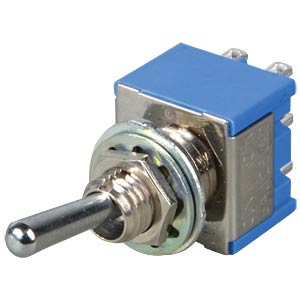 One on/off switch, available from this shop. Click the image.
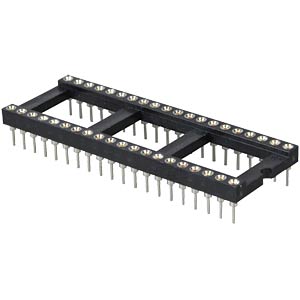 Two 40-pin precision IC sockets, available from this shop. Click the image.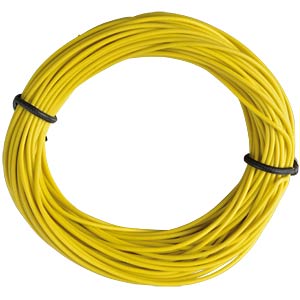
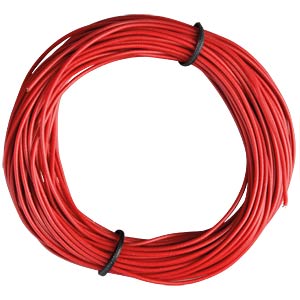 Approximately 1.5 m of 0.14 mm wire, depending on where the switch will be fitted. Available from this shop.
Step 1: modifying the precision IC sockets
Pins 13 and 14 need to be exposed to create soldering points.
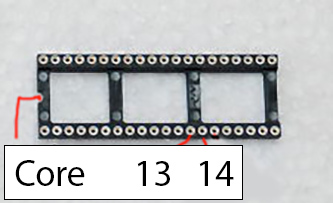
Expose the sides of pins 13 and 14 on both sockets using a Dremel or a file. On one socket, also shorten pins 13 and 14 so they no longer contact the lower socket when the two are stacked.
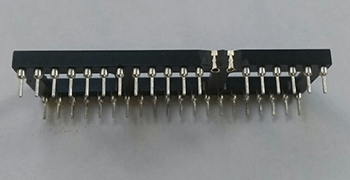
The picture below shows the exposed sides of pins 13 and 14 on the upper socket. The pins have already been shortened.
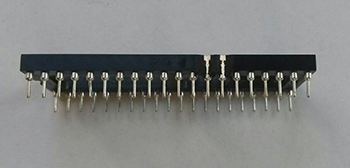
Expose the sides of the corresponding pins on the lower socket, but do not shorten pins 13 and 14 on this socket.
The sockets are now ready to be stacked.
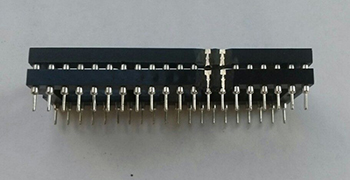
The assembly should look like this.
Step 2: attaching wires to the sockets
Solder wires to the sockets. The example uses about 30 cm per wire. Decide where you want to mount the switch before cutting the wire to length.
Attach four wires to the four soldering points. Avoid contact with the pins below.
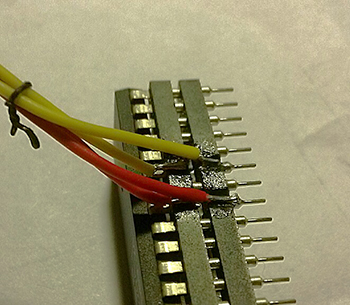
The port IC is already fitted in this photo because it was taken later. This example also uses pin 15 for DF2: booting. If desired, the assembly can be secured with hot glue.
Step 3: attaching the wires to the switch
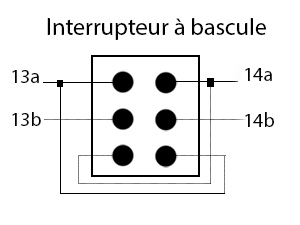
The four free wire ends must now be soldered to the switch:
13a and 14a: upper socket.
13b and 14b: lower socket.
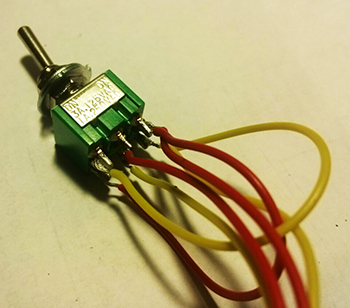
Wire the assembly as shown, adding two bridges on the switch.
The completed assembly looks like this.
Step 4: opening the Amiga and removing the port IC
Open the Amiga and remove the port IC at the location listed above for your model. In this Amiga 500 example, the IC is removed from U8.
Discharge static electricity before handling the component to avoid damaging it.
Fit the double-socket assembly into the motherboard socket from which you removed the IC. Pay attention to the orientation notch or semicircle. Fit the removed IC into the upper socket, again checking the orientation.
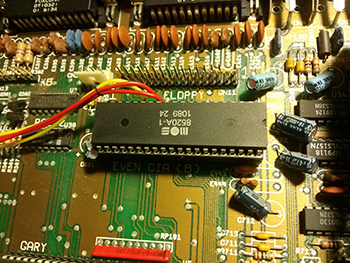
You can now test the assembly. If everything works, drill a mounting hole in the desired position and install the switch.
The Amiga can now boot from DF0: or DF1: using the switch. The modification also allows switching while the computer is running.
Translated by AmigaVintage. We accept no responsibility for damage to your machine.
Modification by fedis: Amiga Boot Selector für 500, 1000, 2000.