- New


Shipping

Secure payment



Use a compatible USB mouse on your Amiga or Atari ST.
DB9 adapter with an Amiga / Atari ST selector switch and no driver installation required. Check that your mouse supports USB Boot Protocol.
Replace your ball mouse with a compatible USB mouse.
This adapter connects to the DB9 port of your Amiga or Atari ST. A physical switch selects the protocol for your computer.
Connection and use
This model uses USB Boot Protocol rather than simple USB/PS/2 conversion. No driver installation is required on your Amiga or Atari ST.
Peripheral compatibility
Use a USB mouse compatible with the supported protocol. Compatibility with every mouse model is not guaranteed: contact us with your peripheral’s model number if unsure.
Some wired digital game controllers may also work. Controllers with analogue sticks and USB controllers in general are not universally supported; testing may be needed to confirm a particular model.
Before ordering
Check your computer’s port and mouse model. Select the Amiga or Atari ST mode appropriate for your machine.
New hardware, individually tested, with a one-year warranty. Dispatched from France by Amiga Vintage.

No customer reviews for the moment.
Reference: AV-ATX24-001
Brand: Amiga Vintage
24-pin ATX adapter board for PC and Amiga projects. Provides access to the +3.3 V, +5 V, +12 V and -12 V outputs of a compatible ATX PC power supply. 24-pin ATX connector 4 screw terminal outputs ON/OFF switch Built-in protection fuses 2 USB 5 V ports Supplied: adapter board only, without a PC power supply or cables.
Reference: PISOPRO
99.9% isopropyl alcohol in a 500 ml bottle. For cleaning and degreasing electronic components in accordance with the manufacturer’s precautions. PURIVITA or EQM depending on stock. Flammable product: read the safety information in the description before use.
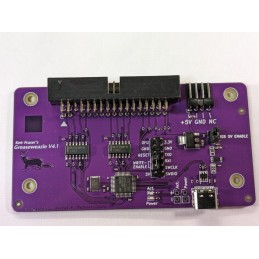
Reference: Greaseweazle-V4.1
Greaseweazle V4.1 USB floppy disk adapter.
Reference: WB3.1
Brand: Cloanto
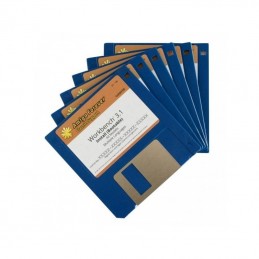
Workbench 3.1 licensed by Cloanto, supplied on 6 floppy disks: Install, Workbench, Storage, Locale, Extras and Fonts. For Amiga computers with a floppy drive and Kickstart ROM 3.0 or 3.1. Supplied with a unique Cloanto licence number for registration on the publisher’s website.
Reference: AV-FLOPPY-001
Brand: CHINON
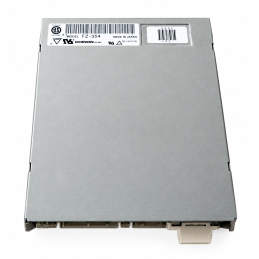
Chinon FZ-354
Reference: AV-FLOPPY-002
Brand: CHINON
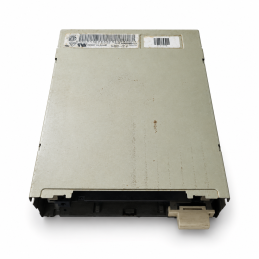
Chinon FZ-354
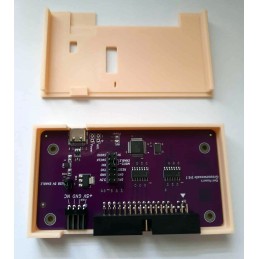
Reference: CoqueGreaseweazleV4.1
Brand: Amiga Vintage
Two-piece 3D-printed case. Case only; Greaseweazle adapter not included.
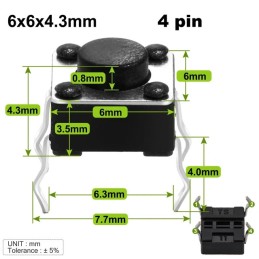
Reference: Switksouris
Brand: Amiga Vintage
Pack of 10 replacement mouse microswitches.
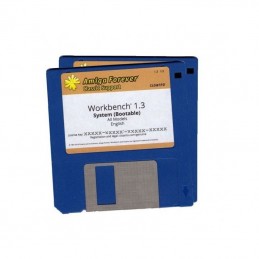
Reference: WB.1.3.4
Brand: Cloanto
Workbench 1.3.4, Cloanto Edition on 2 floppy disks for Amiga 500 and Amiga 2000. Kickstart ROM 1.2 or later required. Supplied with a unique Cloanto licence number.
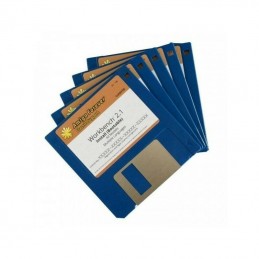
Reference: WB2.1
Brand: Cloanto
Workbench 2.1 licensed by Cloanto, supplied on 5 floppy disks: Install, Workbench, Locale, Extras and Fonts. For Amiga computers with a floppy drive and Kickstart 2.04 or later. On an Amiga 600, using a hard drive or CF card on the IDE port requires Kickstart 2.05 (37.300) or later.
Reference: Lecteur-de-disquettes-externe
Brand: Commodore
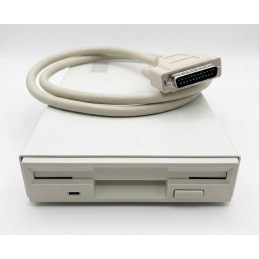
External 3.5-inch floppy drive for Commodore Amiga computers. Ideal for reading your Amiga disks and adding an extra drive to your retro computing setup.
Reference: A1200-8
Brand: Amiga Vintage
System disk image for Amiga 1200, for restoration to 8 GB storage. Digital product containing the system, games and demos, with restoration software and a guide. Download available after payment validation. No physical storage media supplied.
Reference: A600-4
Brand: Amiga Vintage
Complete system disk image for Amiga 600.
Use a compatible USB mouse on your Amiga or Atari ST.
DB9 adapter with an Amiga / Atari ST selector switch and no driver installation required. Check that your mouse supports USB Boot Protocol.